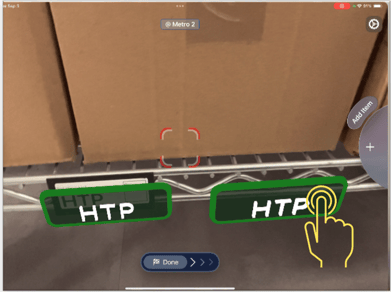
❓ Problem: Visuals appear skewed, off-shelf, or duplicated.
🔍 Possible Causes
- Poor location check-in.
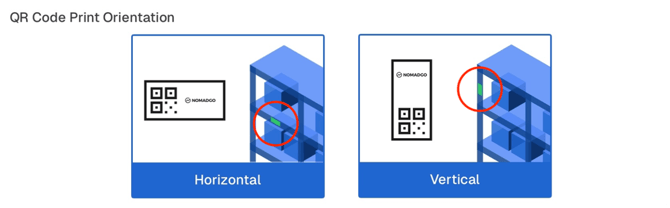
- QR Code placement/orientation incorrect.
- Relocated/removed product (ACI) labels
🛠️ Fix
- Delete misplaced bubbles or labels and re-check into location.
- Place QR Code at accessible height and centered.
- Orientation matters: landscape = horizontal, portrait = vertical.
- Hold device parallel and level when scanning.
- If duplicates appear, tap to delete.
Tap to Delete AR Labels