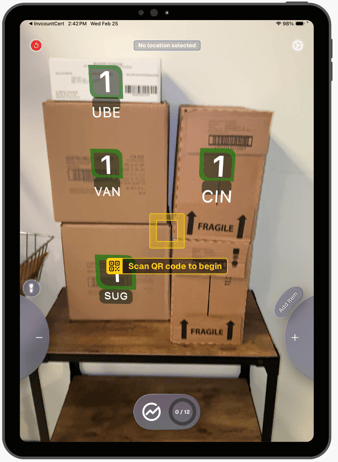
Boxes stored off-shelf can be scanned regardless of check in status. These appear in a dedicated Off-Shelf menu section.
- Point the device at the item with a clear view of the identifying text or label. Green item bubbles will appear on the identified items.
- Open the Location Menu and select Off-Shelf to confirm capture.